Your bill is the starting point
Every solar estimate starts with one question: how much electricity do you use, and what do you pay for it? The answers are on your electric bill, but bills are rarely laid out with solar planning in mind. This guide explains which lines matter and how to turn them into calculator inputs.
Kilowatt-hours used
Look for a figure labelled "usage", "energy used" or "kWh". This is the electricity you consumed during the billing period. Many bills include a bar chart of the last twelve or thirteen months; if yours does not, your utility's online account usually offers a download. Add up a full year of monthly kWh. That annual total is the main input for sizing a system.
Check that the year is typical. A month with an empty house, a new appliance or an unusually hot summer can skew the total. If you know something unusual happened, adjust for it, and keep a note of what you changed.
Energy charges versus fixed charges
Bills usually separate charges that depend on how much you use from charges you pay regardless. Common fixed items include a customer or service charge and sometimes a minimum bill. Energy-related items include generation or supply charges and delivery or distribution charges per kWh.
Solar mainly reduces the per-kWh part. To find your effective energy rate, add up the per-kWh charges and divide by the kWh used, or take the total of the variable lines and divide by kWh. Using the total bill divided by kWh overstates the rate because it includes fixed charges that solar will not remove.
Tiers and time-of-use periods
Some utilities charge more once you pass a monthly threshold (tiered pricing). Others charge different rates at different times of day or by season (time-of-use). With tiers, solar tends to remove your most expensive kWh first, which can make savings slightly better than a flat-rate estimate suggests. With time-of-use, the value of solar depends on when panels produce versus when the expensive periods fall. Note the periods and rates printed on the bill or the utility's rate schedule.
Demand charges
A few residential rate plans include a demand charge based on your highest power draw during a period, measured in kW rather than kWh. Solar alone may not reduce it much because a single cloudy afternoon can set the peak. If you see a demand charge, ask installers specifically how they modelled it.
Export or net metering details
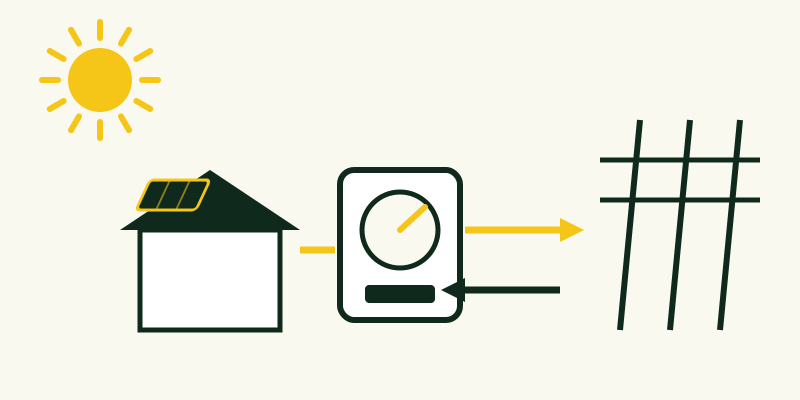
If you already know which rooftop solar tariff applies, note it. Under full net metering, exported kWh offset imported kWh roughly one-for-one. Under export credit schemes, exported power earns a lower credit than the retail price you pay, so the share of production you use at home matters more. The bill itself may not show this until you have solar, so check the utility's website.
Turning the bill into calculator inputs
- Annual use: the sum of twelve months of kWh.
- Effective energy rate: variable charges divided by kWh, not the total bill.
- Fixed monthly charges: keep these aside; solar usually does not reduce them.
- Rate structure: flat, tiered or time-of-use, plus any demand charge.
- Export rules: net metering or an export credit, and the credit value if known.
Example only: if a year's variable charges total $1,500 and the household used 10,000 kWh, the effective energy rate is $0.15 per kWh. That figure, not the total bill divided by usage, belongs in the savings calculator.
Incentive note (October 2026): the US federal residential clean energy credit (Section 25D) ended for expenditures made after 2025, so a homeowner buying a system today should not assume a 30% federal credit. State, local and utility programs vary and change often; check what is currently available where you live before relying on any incentive in an estimate.
When to ask the utility
If the bill is unclear, a short call or message to the utility can confirm your rate plan, fixed charges and solar tariff. It is worth doing before signing anything, because these numbers shape every savings estimate you will see. The FreshSuns calculators give rough estimates only; the better your inputs, the more useful those estimates become.